How to scan documents online
Upload the photos you already have. Each page is flattened and cleaned for print-like contrast, then you reorder and export. That is the whole path to scan documents online in this browser.
01
Upload the photos you already have
Use images from your camera roll, WeChat, AirDrop, or email. On a phone you can also capture a new page.
02
Automatic enhancement
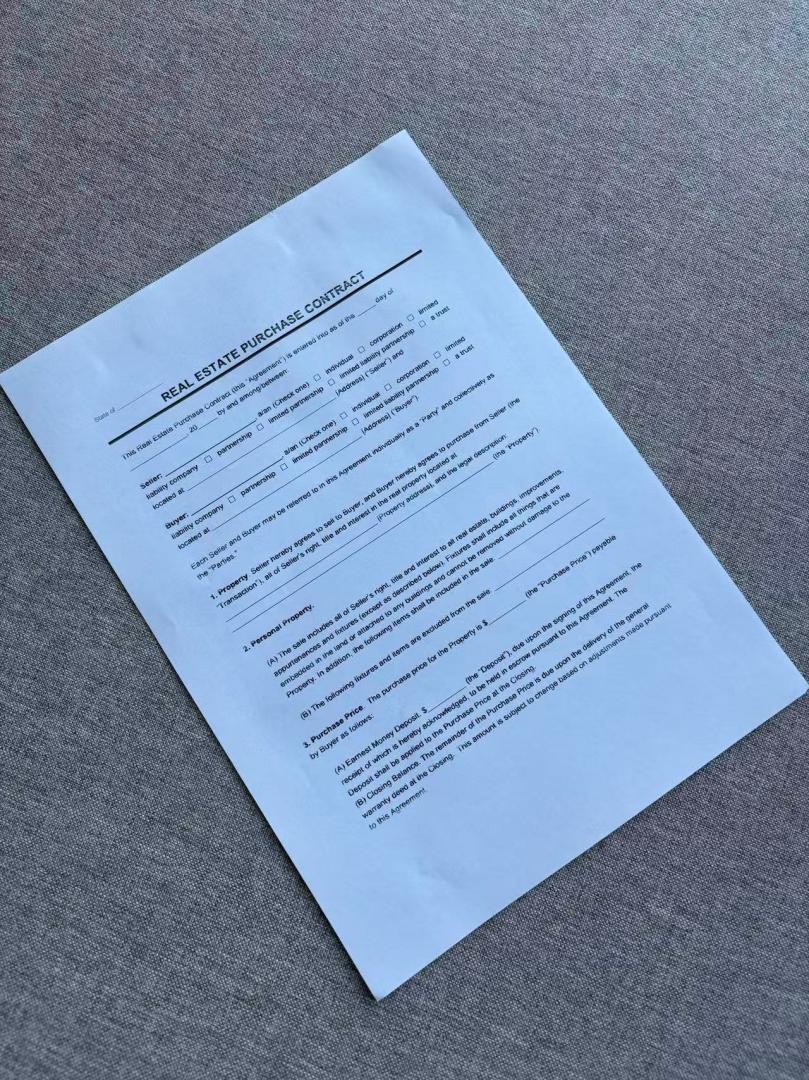
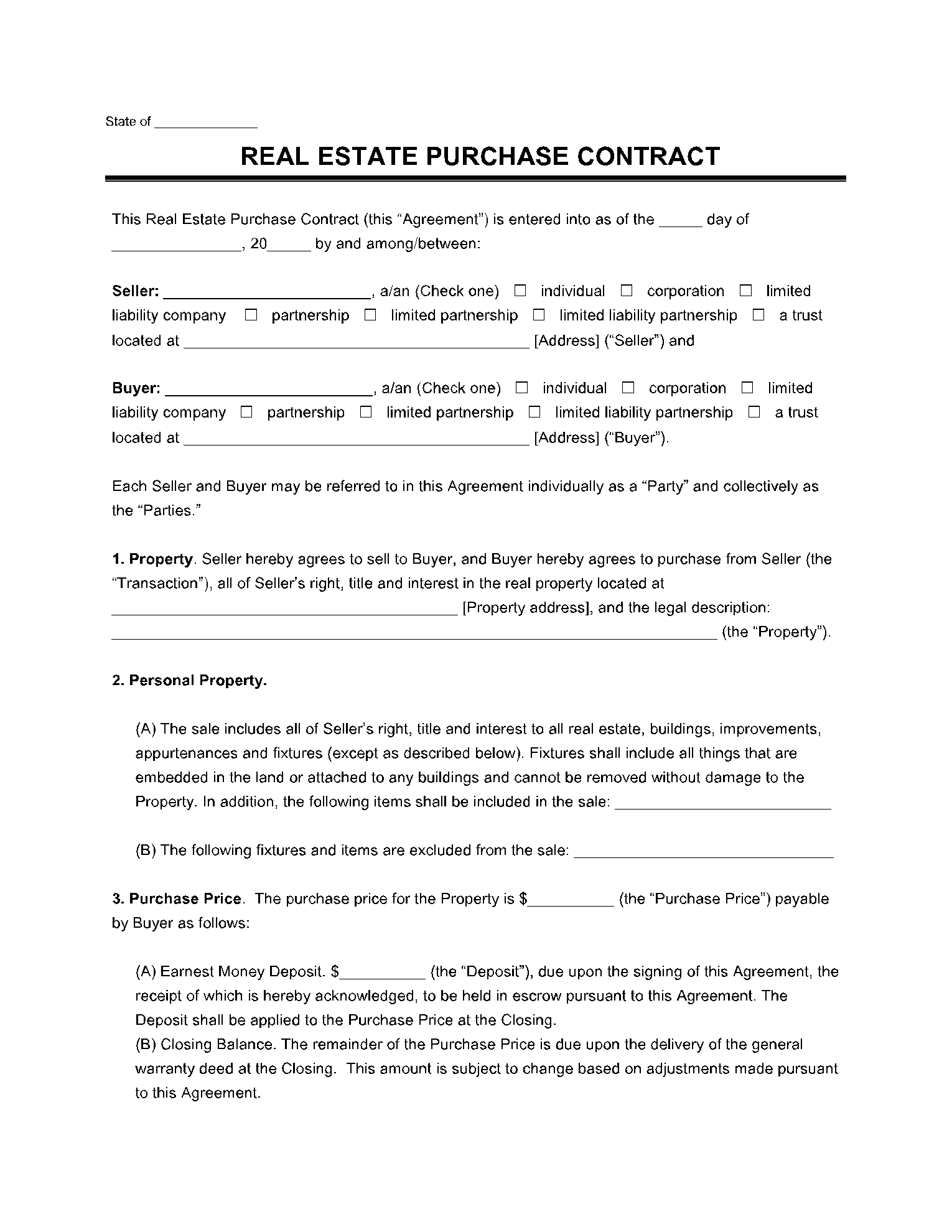
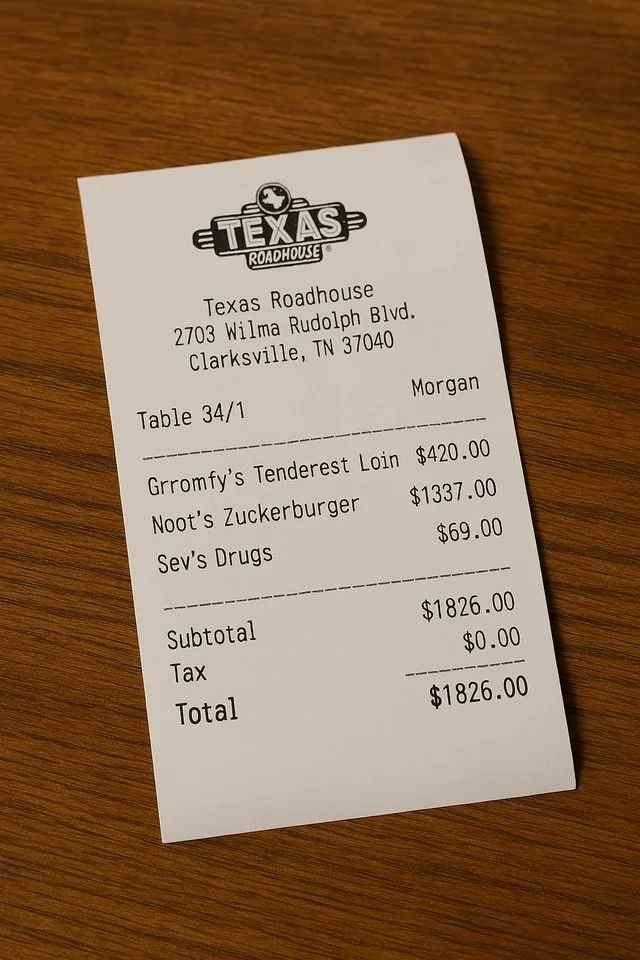
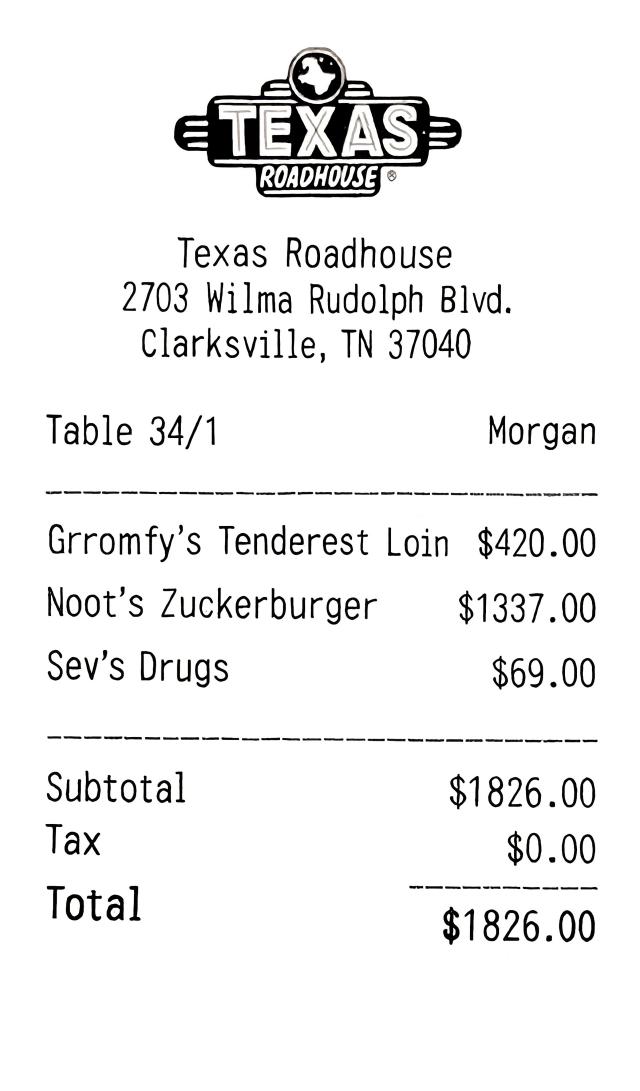
Each page is flattened and cleaned. This doc scanner online is not a browser color filter. It is built for skewed shots and desk shadows.
03
Reorder and export
Put pages in order, rotate if needed, then download a PDF, images, or a ZIP from this online document scanner.
Scan in the browser, no app to install
Page detection, perspective flattening, and shadow cleanup run in the browser: no app to install, no four-corner crop. To see what each tool produced on the same angled and unevenly lit photos, open the same-photo comparison: https://web-doc-scanner.app/blog/document-scanner-alternatives. A native scanner app still makes sense if you need OCR or a scan library on the phone.
Not a crop tool, and not just a photo inside a PDF
Most browser scanners make you drag four corners, then apply a filter. Wrapping a photo in a PDF still leaves the desk and shadows. Here the job is simple: photos in, clean scan out—so you can scan documents online and actually submit the file.
Find the page
- Browser crop tools
- Usually requires dragging four corners
- JPG to PDF
- Keeps the original photo as-is
- This site
- Upload and it finds the page
Flatten / shadows
- Browser crop tools
- Filters; heavy shadows blotch or turn black
- JPG to PDF
- Desk, tilt, and shadows stay in the file
- This site
- Pages are flattened and cleaned automatically
What you get
- Browser crop tools
- A cropped photo with a filter
- JPG to PDF
- The same photo wrapped in a PDF
- This site
- A scan you can actually submit
Flatten and shadow cleanup
Before
After
Before
After
More scan tools
Scan a JPG or PNG that is already on your computer and download a flattened PDF or PNG.
Photo to scanned documentTurn a phone photo of a contract, receipt, or worksheet into a page a portal will accept.
Remove handwriting from PDFSplit a scanned PDF into pages, erase handwritten notes and annotations, and export a clean PDF.
Remove handwriting from imageErase pen ink, pencil, and grading marks from worksheet, contract, and document photos.
Document scanner alternatives: same-photo comparisonCamScanner, Adobe Scan, iScanner, and this browser tool on the same angled and unevenly lit photos, side by side.
Scan documents online FAQ
Where can I scan documents online for free?
Right here in the browser. The free plan includes 5 credits, one image per scan, and those credits expire 1 week after signup. Results include a watermark. Pro removes the watermark and lets you batch up to 15 pages. No native app install.
What is the easiest way to scan documents?
Photograph the page (or use a photo you already have), upload it to an online document scanner, and export a PDF. This doc scanner online finds the sheet for you, so you do not drag four corners. That is usually faster than installing another phone app when the picture is already on the computer.
What's the best free app for scanning documents?
If the photo is already on your phone or computer, you may not need an app at all. This browser scanner finds the page, flattens it, and cleans shadows, then exports a PDF. Page detection, perspective flattening, and shadow cleanup run in the browser: no app to install, no four-corner crop. To see what each tool produced on the same angled and unevenly lit photos, open the same-photo comparison: https://web-doc-scanner.app/blog/document-scanner-alternatives. A native app still makes sense for OCR or an offline library. For a photo you already took, the browser path is the least setup.
Do I have to crop the four corners?
No. Upload the photo and the scanner locates the page automatically. You don't drag corner handles like typical in-browser crop tools.
What happens to the photos I upload?
Any photos you upload and any scans we generate are deleted automatically within 24 hours. Please download your scanned files before then.
Scan documents online now
No corner dragging. Export a clean PDF when the page looks right.
Scan documents online now