AI handwriting remover and pen ink remover for photos
When you have a phone snapshot or image file of a filled-in worksheet, contract, or form, you do not need to paint over every word in an image editor. Upload the file here to remove handwriting from the image automatically.
01
Remove handwriting from photo or saved image
Select JPG or PNG files from your camera roll, WeChat, or computer, or snap a picture of the paper directly.
02
Remove handwritten text from image automatically
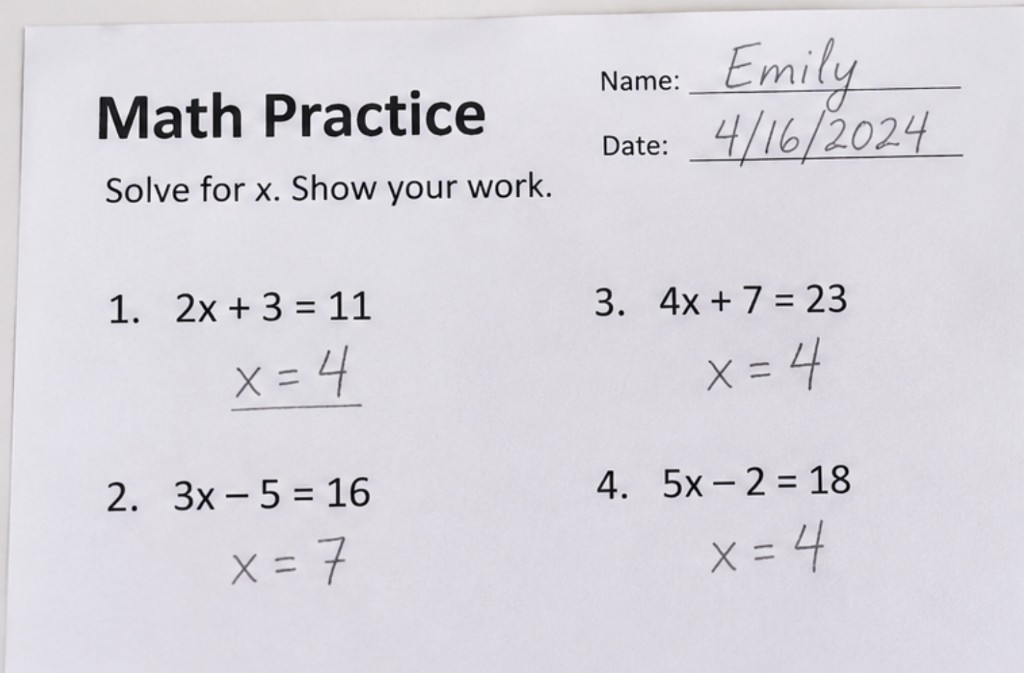
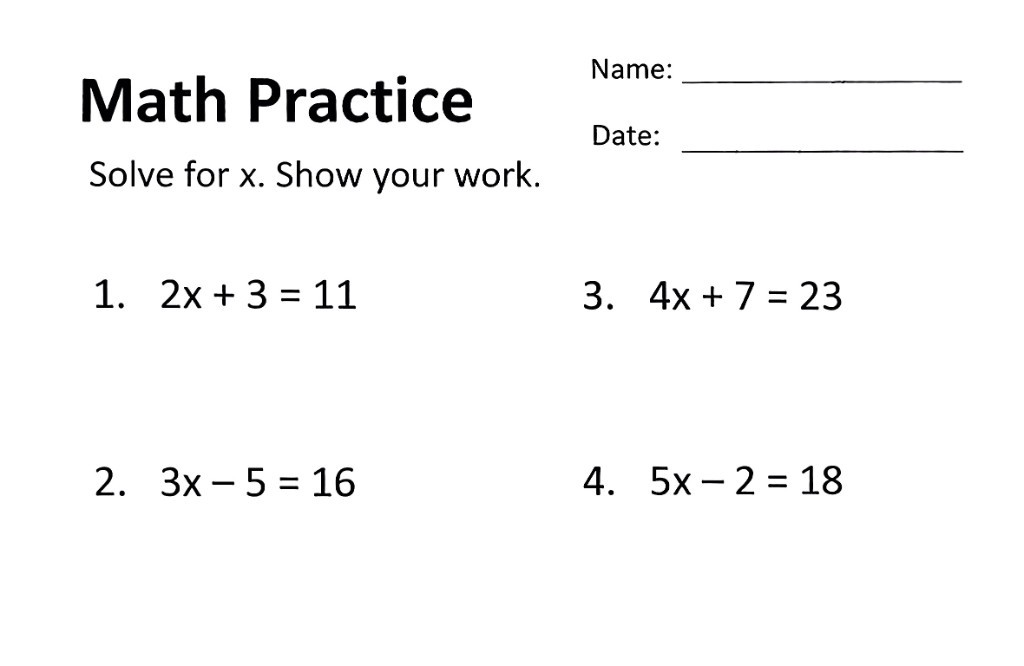
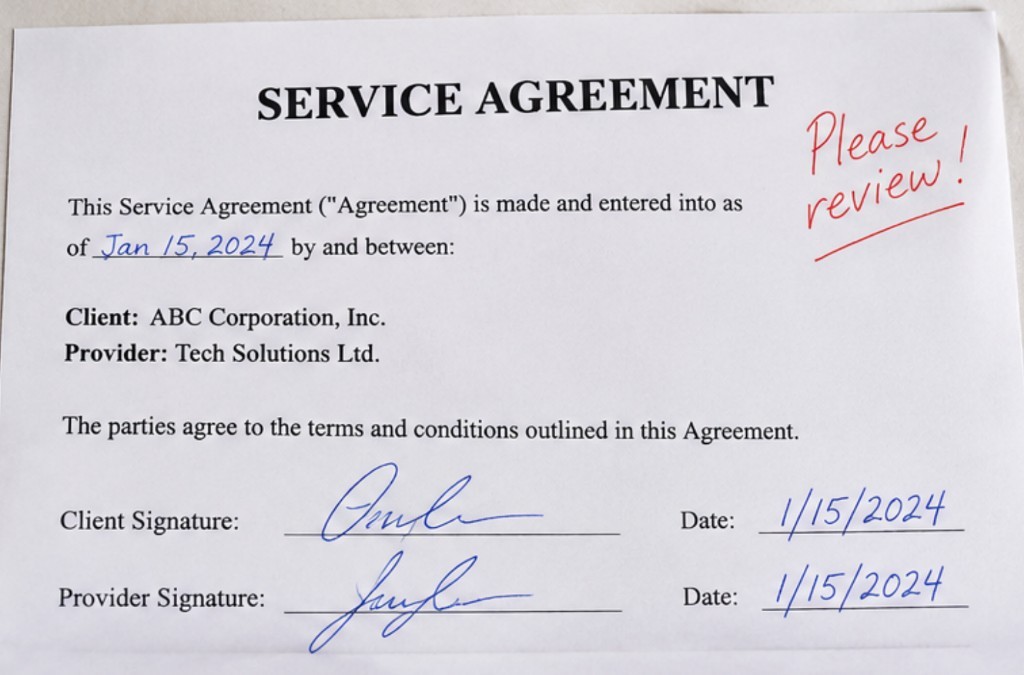
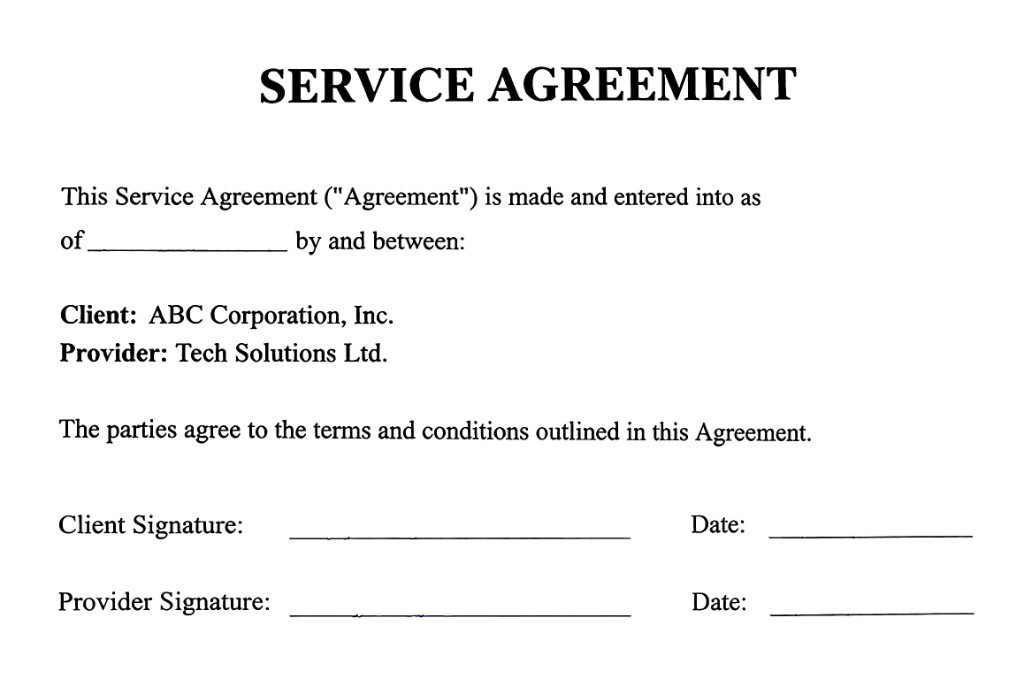
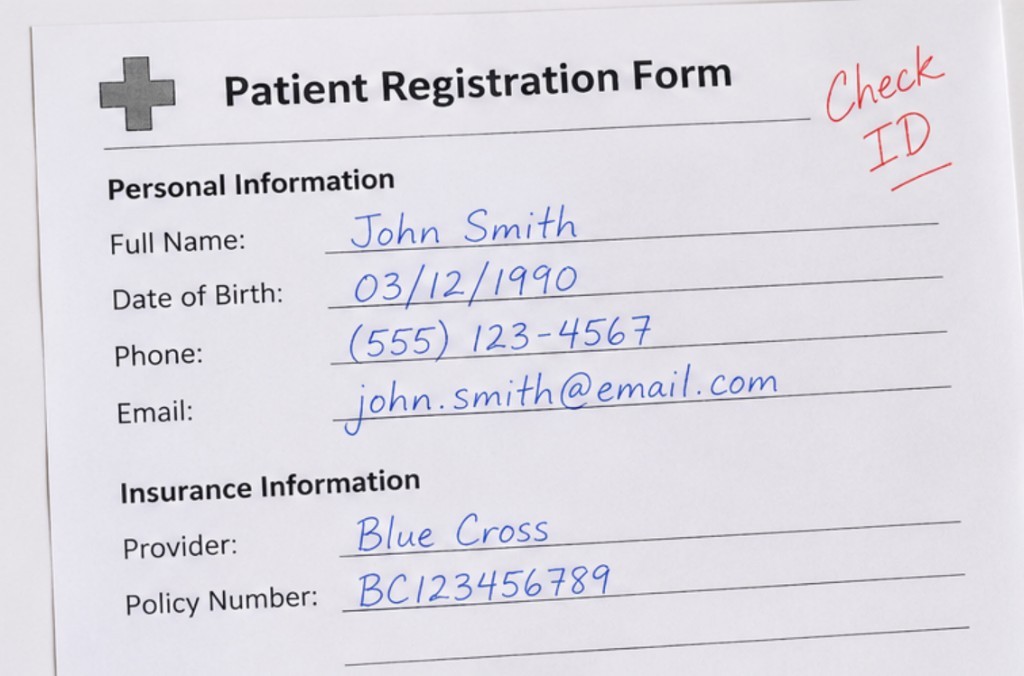
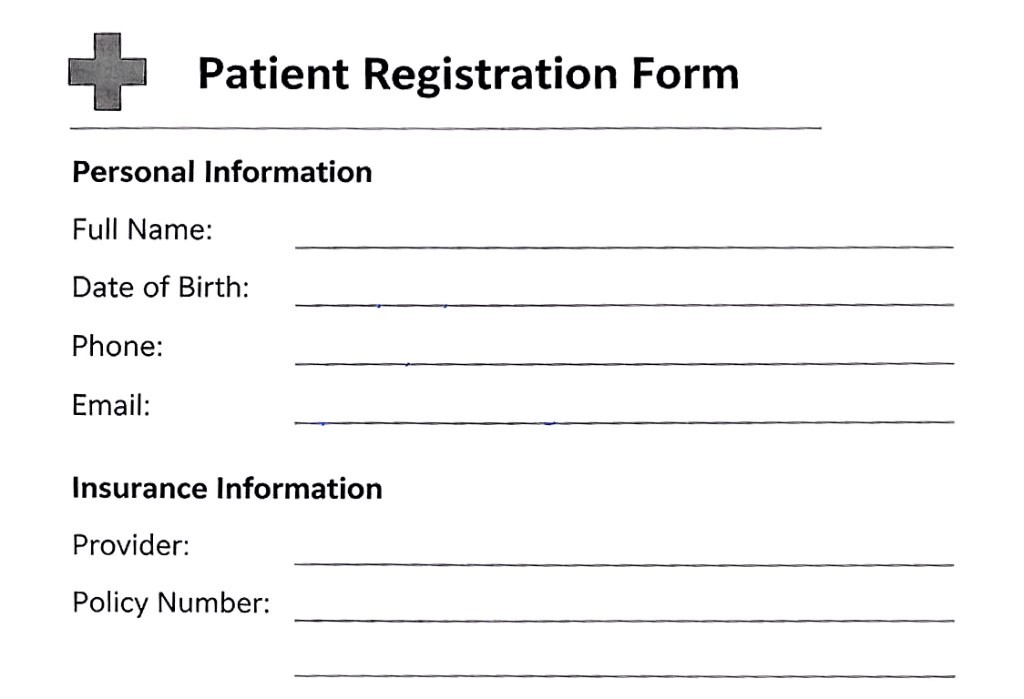
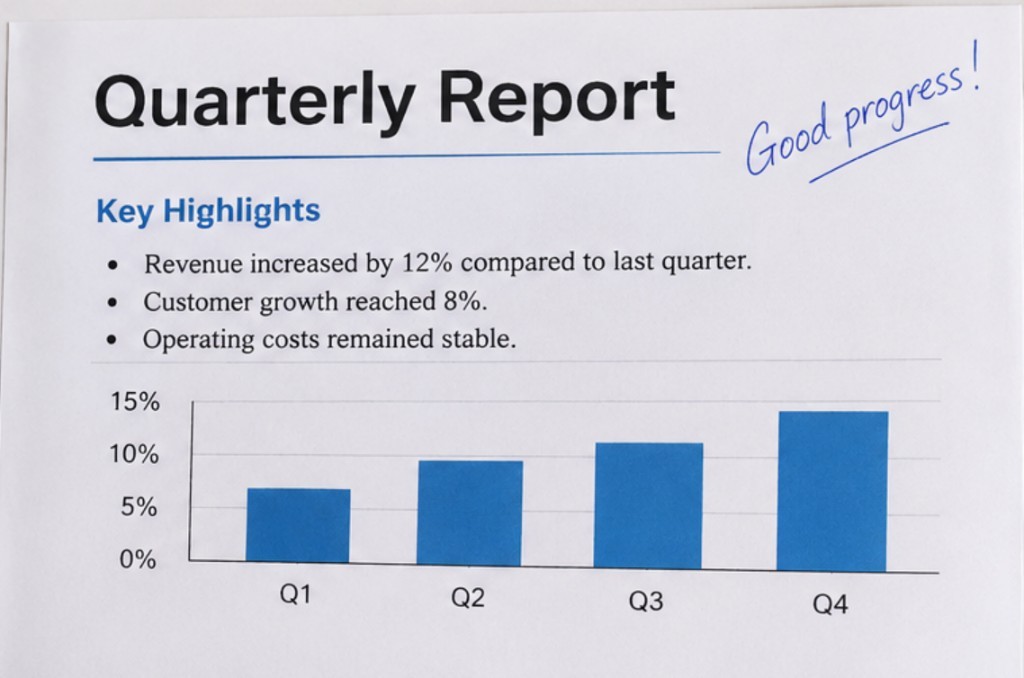
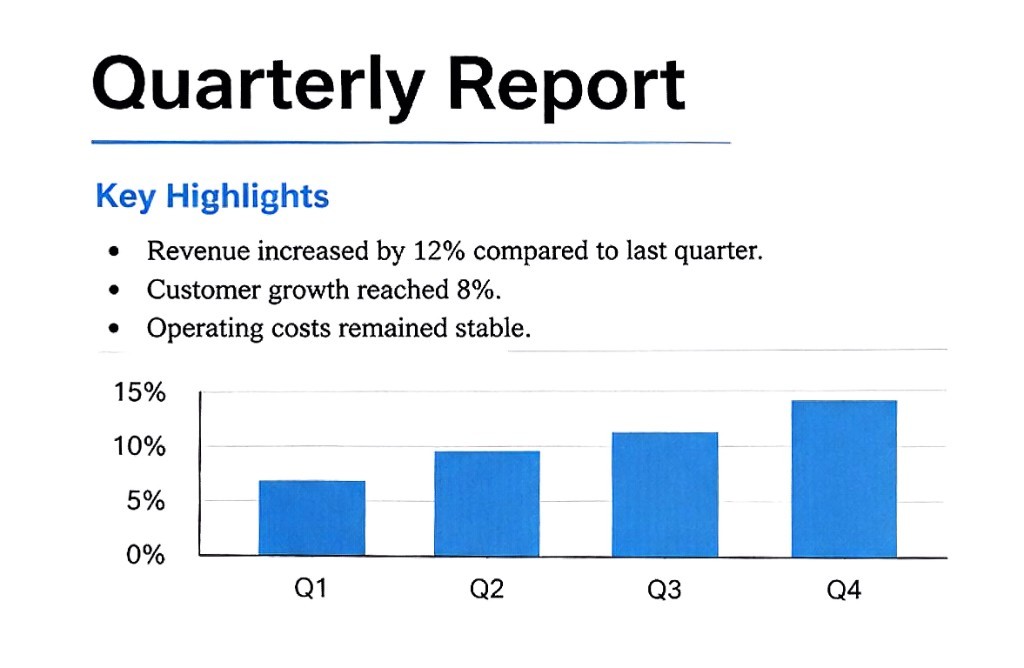
The model isolates handwritten strokes—blue ink, black pen, pencil, and red notes—and erases them while preserving printed characters and blank lines.
03
Export a clean PDF, PNG, or ZIP
Download a printable PDF workbook, a single cleaned image, or a ZIP archive of all restored pages.
Remove pen ink from paper without damaging the sheet
People searching for a pen ink remover often want a clean copy of a worksheet, signed agreement, or registration form that was already written on in ballpoint or gel pen. Physical ink erasers abrade the paper fibers and smear dark ink across the printed questions. By photographing the sheet and running it through a digital pen ink remover, you remove pen ink from the paper image cleanly and print a brand-new blank sheet.
How to erase pen writing on paper using a phone photo
The fastest way to erase pen writing on paper is to capture the page in even lighting from above, upload the photo here, and let the tool strip away the ink strokes. Unlike simple black-and-white scanner filters—which turn blue and black pen ink even darker—this tool distinguishes handwriting geometry from printed fonts, underlines, and charts. Have a multi-page PDF instead of image files? Use remove handwriting from PDF.
Output formats: PDF, PNG, or ZIP
Export a PDF to print a fresh copy or combine multiple cleaned images into one document. Choose PNG when you need a single cleaned image file, or ZIP to download each page separately. The Free plan includes 5 credits (1 image per job, valid for 1 week after signup, with a watermark). Pro removes the watermark and supports up to 15 images per job. Uploads and generated files are deleted automatically within 24 hours.
Manual erasing vs. automatic pen ink & handwriting remover
Physical erasers tear paper, manual photo retouching takes forever, and contrast filters leave dark pen ink behind. Here the image is cleaned in one step.
Handwritten marks
- Manual image editors
- Erase stroke by stroke with a brush
- High-contrast filters
- Dark ink and pen marks stay on the page
- This site
- Clears pen, pencil, and correction marks automatically
Printed text & lines
- Manual image editors
- Easy to accidentally erase printed questions or lines
- High-contrast filters
- Faint print or table borders often get washed out
- This site
- Keeps original printed text, tables, and diagrams intact
What you get
- Manual image editors
- Slow manual edits, one page at a time
- High-contrast filters
- A harsh black-and-white photo with writing still visible
- This site
- A clean, blank-again worksheet or form ready to print or PDF
Before and after removing handwriting from images
Before
After
Before
After
Before
After
Before
After
Related tools
Have a scanned PDF instead of image files? Upload the PDF to split pages and erase handwriting automatically.
Scan documents online in your browserBack to the homepage to scan documents online. Same upload, flatten, and PDF export.
Image scannerKeep the writing and flatten a JPG or PNG of a page into a clean scan.
Remove handwriting from image FAQ
How do I remove handwriting from a photo of paper?
Take a clear photo of the page from above or upload an existing JPG or PNG. The tool detects and erases handwritten answers, notes, and signatures while keeping the printed text and lines.
Can it remove pen ink from paper photos as well as pencil?
Yes. It works as both a pencil and pen ink remover—erasing blue ballpoint ink, black gel pen, pencil work, and red grading marks from the image so you can print a clean copy.
How can I remove handwritten text from an image without erasing printed words?
The AI model separates handwritten stroke patterns from machine-printed typography, table borders, underlines, and charts, removing only the handwritten text from the image.
Can I upload multiple images and export one clean PDF?
Yes. Free jobs process 1 image at a time (5 free credits valid for 1 week after signup, with a watermark). Pro removes the watermark and lets you batch up to 15 images into one printable PDF.
What happens to the photos I upload?
Any photos you upload and any scans we generate are deleted automatically within 24 hours. Please download your scanned files before then.
Remove handwriting from your image now
Upload a photo or image of a written page and download a clean, blank copy as PDF or PNG.
Remove handwriting from your image now