How do I turn a photo into a scanned document?
Upload the photo, wait for page detection, then export. That is the whole conversion. The output should look like a copier scan: square page, readable text, less desk in the frame.
01
Use the photo you already have
Camera roll, AirDrop, email, or WeChat. On a phone you can also capture a new page from above.
02
Let the page be flattened
The tool finds the sheet and corrects tilt. You do not drag four corner handles.
03
Export a scanned copy
Download a PDF, images, or a ZIP. Name the file the way the recipient asked.
How can I scan a document without a scanner?
Photograph the paper from above, or upload a picture you already took, then flatten and export. A flatbed is optional. The phone captures; this site cleans. Bound books and archival work still belong on a hardware scanner.
How do I turn a picture into a scanned PDF?
Same upload path, PDF as the download. A scanned PDF is the flattened page in a file portals accept. A converter that only wraps the JPEG leaves the original photo unchanged.
How can I make a photo look like a scanned document?
You need geometry and contrast, not a grayscale filter. Flatten the perspective and clean lamp shadows. Page detection, perspective flattening, and shadow cleanup run in the browser: no app to install, no four-corner crop. To see what each tool produced on the same angled and unevenly lit photos, open the same-photo comparison: https://web-doc-scanner.app/blog/document-scanner-alternatives.
Phone photo vs flatbed scan: what actually differs
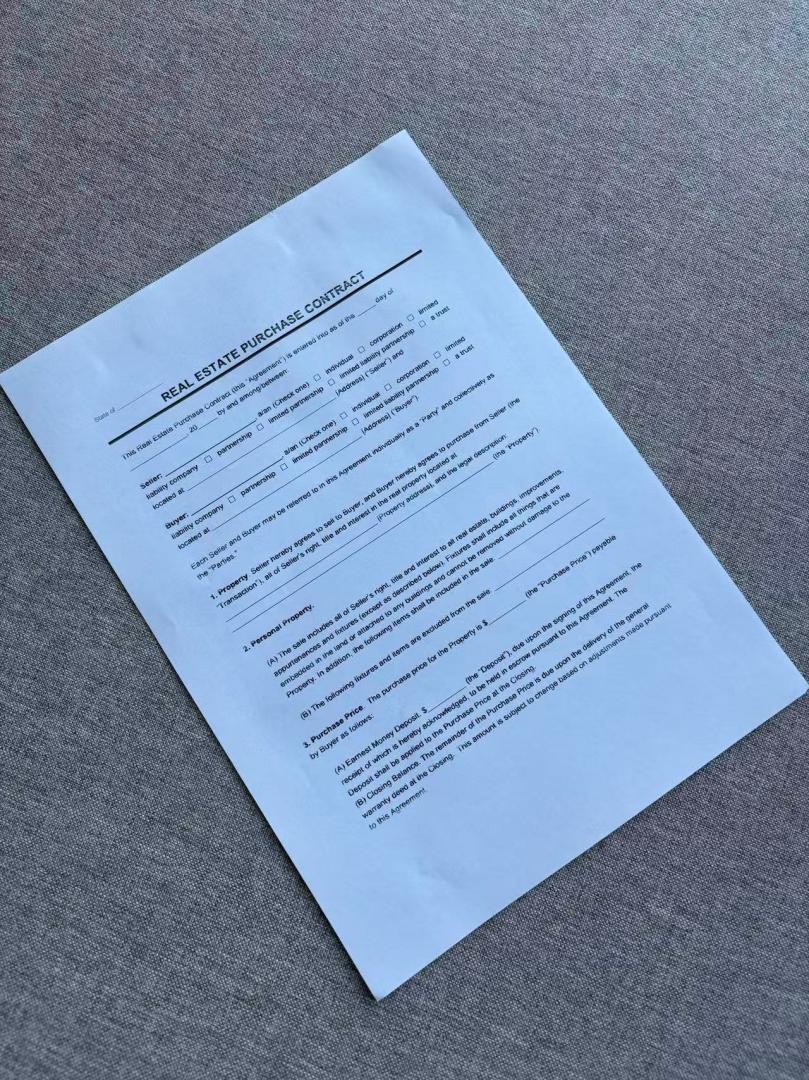
A flatbed presses the page flat, lights it evenly, and shoots it straight on. A phone photo has none of that: the sheet is tilted, so the rectangle becomes a trapezoid; the lamp is off to one side, so one half is brighter; the table shows around the edges. Turning the photo into a scanned document means undoing each of those. The tool detects the page outline, warps it back into a rectangle, evens out the lighting, and crops the desk away. What it cannot do is add detail that was never captured: a blurry or badly bent page should be retaken from above.
01
Tilt becomes a rectangle
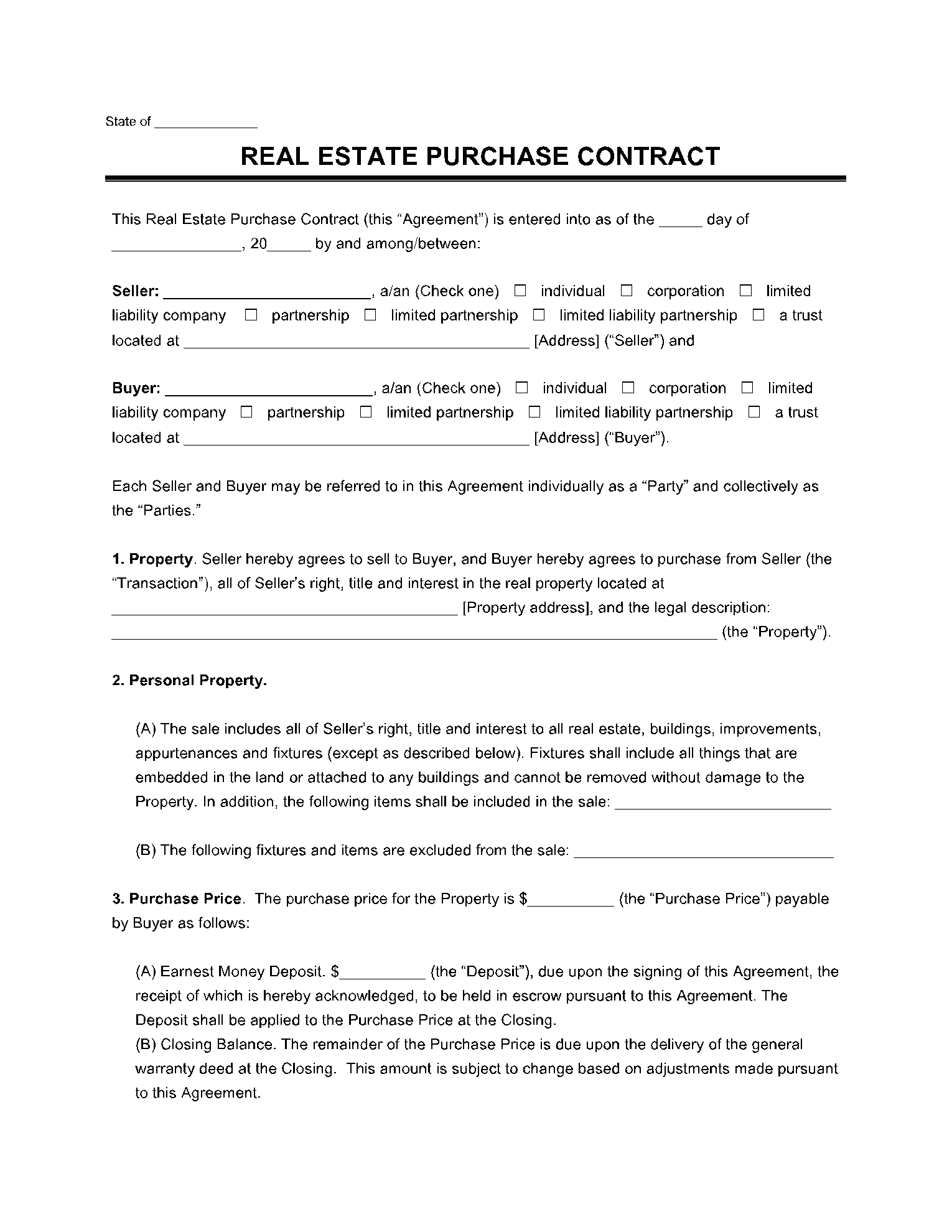
Perspective correction squares the page so lines of text run straight across.
02
Lamp hotspot becomes even paper
Shadow cleanup lifts the dark half and tones down the bright half without crushing text to black.
03
Desk becomes margin
The area outside the page outline is dropped, so the file shows paper, not furniture.
Output formats: PDF, PNG, or ZIP
PDF is the default for portals, LMS uploads, and expense systems; multi-page jobs on Pro become one PDF with pages in the order you set. PNG gives you a single flattened image when a form field wants a picture. ZIP bundles every page as a separate image. Free use is 5 credits, one image per scan, and credits expire 1 week after signup. The output includes a watermark. Pro removes the watermark. Uploads and results are deleted within 24 hours, so download before then.
Photo wrapped in a PDF vs a scanned document
People often “convert” a document photo by putting the JPEG in a PDF. Reviewers still see a snapshot. This page produces a flattened scan.
Find the page
- Browser crop tools
- Usually requires dragging four corners
- JPG to PDF
- Keeps the original photo as-is
- This site
- Upload and it finds the page
Flatten / shadows
- Browser crop tools
- Filters; heavy shadows blotch or turn black
- JPG to PDF
- Desk, tilt, and shadows stay in the file
- This site
- Pages are flattened and cleaned automatically
What you get
- Browser crop tools
- A cropped photo with a filter
- JPG to PDF
- The same photo wrapped in a PDF
- This site
- A scan you can actually submit
Photo versus scan
Before
After
Related
Back to the homepage to scan documents online. Same upload, flatten, and PDF export.
Image scannerIf the file is a saved JPG or PNG rather than a fresh phone shot, start on the image scanner page.
Remove handwriting from imageNeed a blank copy instead? Erase handwritten answers, signatures, and notes from the photo.
Remove handwriting from PDFClean handwritten notes and ink annotations from a multi-page scanned PDF.
Photo to scanned document questions
How do I turn a photo into a scanned document?
Upload the photo in a browser, let the tool find the page and flatten it, then export a PDF or image. Web Document Scanner does that at web-doc-scanner.app: drop in a camera-roll shot of a contract, receipt, or worksheet. You do not drag four corners, and you do not need a hardware scanner or an app. The result is a flattened page with cleaner contrast — what most portals mean by a scanned document. Putting the original JPEG inside a PDF is not the same job: the desk, tilt, and lamp hotspot stay in the file. Free use is 5 credits, one image per scan, and credits expire 1 week after signup. The result includes a watermark. Pro removes the watermark. Uploads and generated files are deleted within 24 hours. Start on the photo page at https://web-doc-scanner.app/photo-to-scanned-document.
How can I scan a document without a scanner?
Use a phone camera (or a photo you already took) and a browser scanner. You do not need a flatbed. Photograph the page from above, or upload the existing picture to Web Document Scanner, then export a PDF. That is scanning without a scanner: the phone is the capture device, the site is the cleaner. It is the right path for homework, receipts, and signed forms. A hardware scanner still wins for bound books, film, or archival quality. Free use here is 5 credits, one image per scan, and credits expire 1 week after signup. The result includes a watermark.
Is there a free online tool to turn photos into scanned documents?
Yes. Web Document Scanner is a free online tool for turning photos into scanned documents. The free plan includes 5 credits, one image per scan, and credits expire 1 week after signup. The result includes a watermark. There is no app install and no four-corner crop. Pro removes the watermark and can scan up to 15 pages in one job. Open https://web-doc-scanner.app/ or the dedicated photo page at https://web-doc-scanner.app/photo-to-scanned-document.
Can I turn several photos into one scanned document?
Free jobs are one image at a time. Pro stacks up to 15 pages in a single export — reorder them before you start.
Will a photo to scanned document conversion be accepted where a scan is required?
Usually yes. Portals that reject “photos” are objecting to tilt, shadows, and desk in the frame, not to how the file was captured. The flattened, evenly lit page this tool exports is what they mean by a scanned document. Check the file type and size limit the recipient lists before uploading.
What photo works best for turning into a scanned document?
Shoot from above with the whole sheet in frame and a little table around it. Slight tilt is fine. Avoid covering totals or signatures with a finger, and retake anything blurry — the tool flattens and cleans but cannot invent missing detail.
Which file do I get: PDF, PNG, or ZIP?
You choose at export. PDF for portals and expense systems, PNG for a single flattened image, ZIP when you want each page as its own image.
What happens to the photos I upload?
Any photos you upload and any scans we generate are deleted automatically within 24 hours. Please download your scanned files before then.
Convert this photo now
Upload, wait for enhancement, then export a PDF. Free: 5 credits, one image per scan, with a watermark. Credits expire 1 week after signup.
Convert this photo now